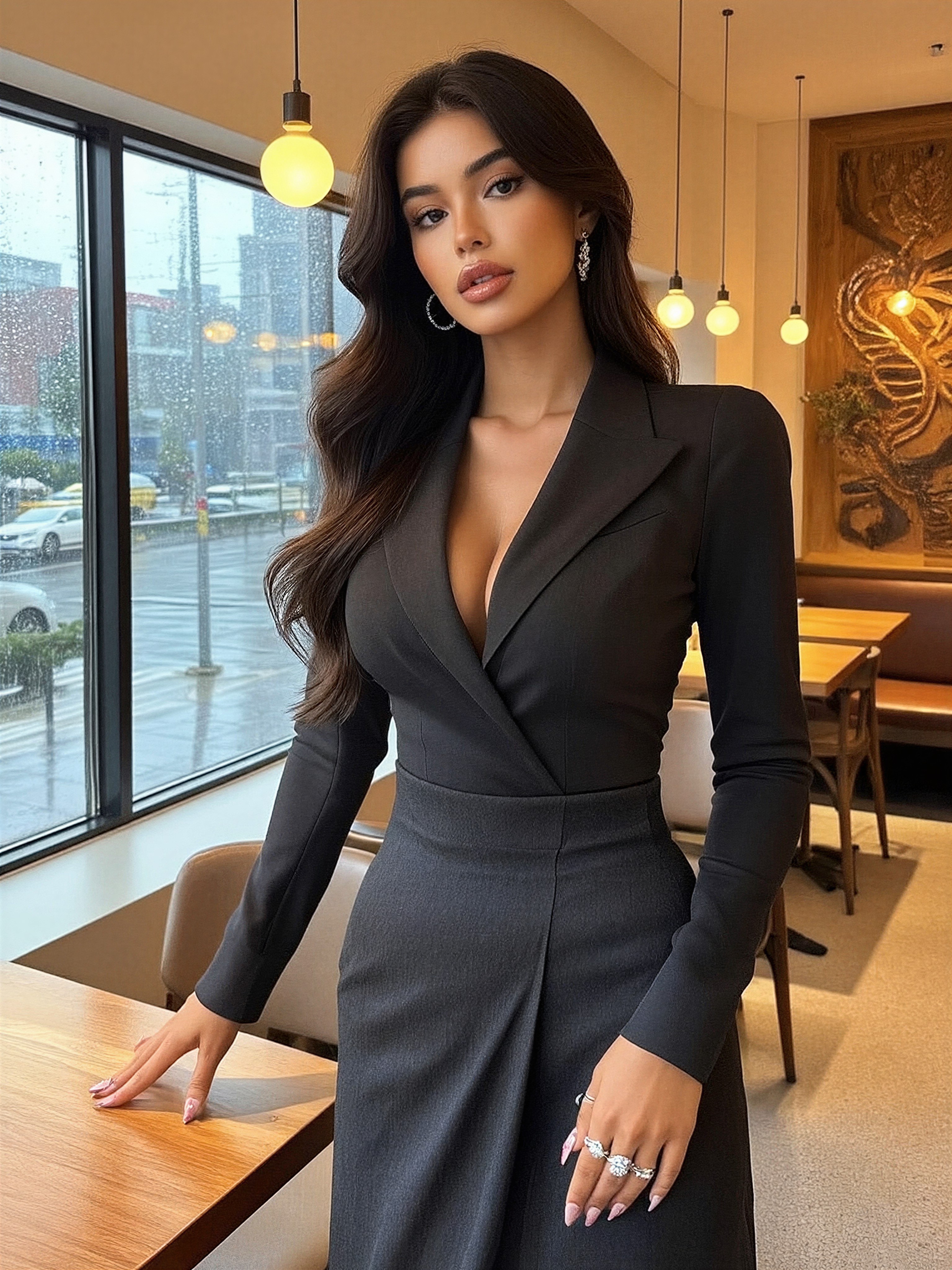


A Rainy City Reflection: How This Café Portrait Balances Realism and Glamour
The rain-smeared cityscape outside the café window isn't just background—it's a mirror for the woman's confident gaze. Z-Image Base captures the tension between the warm café lighting and the cold, wet streets with uncanny precision. Her tailored blazer and high-waisted pants feel like they were just unbuttoned from a fashion editorial, while the soft shadows on her face suggest a professional portrait studio's lighting grid.
What makes this work is the harmony between the photorealistic textures: the wooden table grain, the rain-streaked glass, and the subtle sheen of her makeup. It's the kind of image that could be mistaken for a candid shot from a high-end magazine, with the added magic of AI's ability to control every detail.
For Fashion Shoots and Lifestyle Content
This prompt shines for fashion bloggers, lifestyle content creators, and product photographers needing realistic human subjects. The 3:4 portrait orientation is ideal for social media cards and print ads, while the warm lighting makes it adaptable to both daytime and evening scenarios.
For maximum realism, avoid extreme angles—keep the camera at eye level with the subject. Landscape crops would distort the café's architectural details, so stick to portrait orientation. The model's ability to render fine textures means you can confidently include clothing details like fabric sheen or patterned wallpaper.
Optimal Settings for Z-Image Base — Balancing Realism and Glamour
Z-Image Base excels at photorealism, but the LoRA combinations here need careful calibration. Start with cfg_scale 3.5 to preserve detail without over-sharpening, and use 25 steps for full resolution. For the café's warm lighting, keep steps at 25 but lower cfg_scale to 3.2 if you notice the rain effects becoming too intense.
- Resolution:
1080×1440(3:4) — ideal for portrait photography and print - CFG Scale:
3.2–3.5— maintains detail without over-saturation - Steps: 25 for full resolution, 12 for quick previews
Layering the LoRAs
- Dark Glamour 80s at
0.35— adds pastel undertones to the blazer and soft voluminous hair effects; increase to0.45for a more dramatic, modern glamour look - Luxury Sparkle at
0.35— enhances the makeup's gloss and adds subtle light reflections on the clothing; push to0.50for a high-fashion editorial finish
Combining both LoRAs at their default weights creates a balanced look: the 80s glamour adds texture while the Luxury Sparkle maintains the photorealistic base. For a more opulent effect, reduce Dark Glamour to 0.25 and increase Sparkle to 0.60.
Five Creative Variations for This Café Portrait
5 Ways to Transform This Scene
- Change the setting: Replace "rainy city street" with "sunlit beach with palm trees" — the same woman becomes a lifestyle influencer in a tropical resort
- Adjust the lighting: Swap "warm lighting" with "cold studio lights" — creates a more dramatic, high-fashion editorial look
- Modify the clothing: Change "fitted blazer" to "flowing silk dress" — shifts the tone from professional to elegant evening wear
- Add context: Include "holding a latte, smiling at the camera" — turns the portrait into a lifestyle shot with narrative
- Shift the mood: Change "confident pose" to "distracted, looking out the window" — creates a more introspective, moody atmosphere
Two Prompts Ready to Generate
Apply two of the variations above directly — both are tuned for Z-Image Base with the recommended settings.
Variation: Tropical lifestyle — replaces urban rain with sunlit beach, soft pastels, flowing dress
A beautiful young woman with a confident pose, wearing a flowing silk dress, standing in a sunlit beach café with tropical plants and large windows showing a palm-fringed ocean, photorealistic style, soft shadows, natural makeup, portrait photography
Variation: High-fashion editorial — cold studio lighting, voluminous hair, dramatic shadows
A beautiful young woman with a dramatic pose, wearing a tailored blazer and high-waisted pants, standing in a minimalist studio with cold lighting and large windows showing a rainy city street, photorealistic style, sharp shadows, high-end makeup, fashion editorial
Explore Similar Stylistic Approaches
Other prompts in this category explore different angles of fashion and lifestyle photography, from minimalist lingerie poses to hyperrealistic fantasy art: