Raw Skin Against Editorial Polish: The Tension in This Headshot Prompt
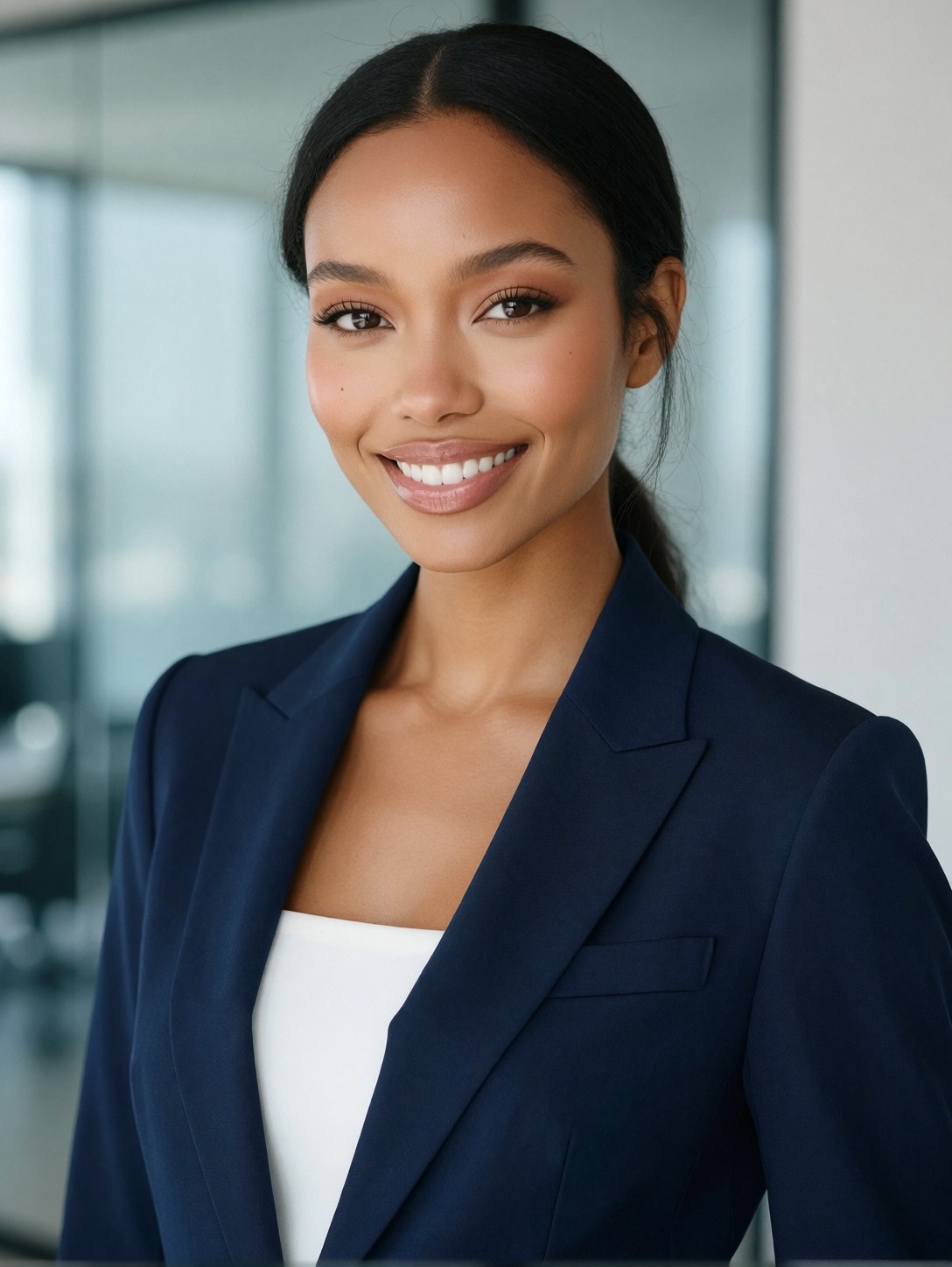
The most interesting instruction here isn't the wardrobe or the setting — it's "preserved hyper-realistic skin texture, authentic skin detail, raw photo." That's a direct counterweight to the "editorial style" framing. The model is being asked to produce something that looks like a magazine cover but reads like an unprocessed RAW file from a medium-format camera. No smoothing, no beauty filter, no airbrushed uniformity. The skin should carry pores, subtle redness, the micro-texture of a real face.
Proxima Aurelia 2 handles this balance well. The "8k" tag and "professional lighting" phrases guide it toward a high-resolution, well-lit output without over-embellishing. The navy blazer against a white top gives clean tonal contrast, and the blurred glass windows in the background add depth without competing for the subject's attention.
LinkedIn Profiles, Press Kits, and Corporate About Pages
This prompt is built for the professional headshot that appears on a company "team" page, a journalist's press kit, or a LinkedIn banner where you need to look polished but not staged. The navy-and-white palette is intentionally safe — it reads as credible across industries without leaning into a single sector.
It's less suited to creative or fashion portfolios where you want the image to feel like a statement rather than a credential. For those, the wardrobe and background need more personality.
Keep the aspect ratio at 3:4 for social platforms and web. For print (press kits, conference badges) move to 2:3 at 1344×1792 to give the shoulders and jacket structure enough room to breathe.
Tuning Proxima Aurelia 2 for Clean, Unprocessed Portraits
Proxima Aurelia 2 is built on the Flux Schnell architecture, so standard Flux guidance settings apply. The model's documented strength is delivering strong aesthetics and composition even from minimal prompts — which means this prompt is actually more detailed than the model strictly needs. That's fine; the extra specificity locks in the "raw" texture direction and prevents the model from reaching for its default polished look.
- CFG / Guidance:
3.0–3.5— keeps the skin texture honest without introducing harsh contrast or clipping in the white top - Steps: 20–30 for full detail in the fabric weave and skin micro-texture; 12 steps is enough for a composition preview
- Resolution:
1080×1440(3:4) for web and social;1344×1792(2:3) for print-ready output
Because Proxima Aurelia 2 excels at visual storytelling from simple prompts, you can strip the "8k" and "raw photo" tags and still get a clean result. Those tags are a safety net for texture fidelity, not a requirement.
Five Specific Shifts to Change the Personality of This Headshot
Targeted variations for the navy blazer headshot
- Swap the background to a warm library: Replace "modern minimalist office with soft blurred glass windows" with "warm wood-paneled library, golden hour light filtering through tall windows, soft bokeh" — the palette shifts from cool corporate to warm and literary, the same blazer now reads as academic or editorial rather than corporate
- Change the expression to editorial drama: Replace "smiling naturally into the camera" with "serious direct gaze, slight head tilt, lips closed" — the image moves from approachable headshot to fashion-editorial territory, the same wardrobe suddenly feels like a campaign still
- Shift the palette to charcoal: Change "navy blue" to "charcoal grey" — the blazer becomes more subdued and gender-neutral in tone, the white top carries more visual weight, and the overall mood is quieter and more modern
- Add an evening city backdrop: Replace "soft blurred glass windows" with "warm city bokeh lights at dusk through glass windows behind her" — the background gains colour and depth, the image becomes an after-hours portrait rather than a daytime office shot
- Change the framing to a tighter crop: Add "tight chest-up crop, shoulders visible, 4:5 aspect ratio" — the composition becomes more intimate and social-media native, ideal for Instagram or a personal website where the image appears small
Two Prompts Ready to Generate
Both examples below apply one of the variations above directly. They're tuned for Proxima Aurelia 2 at the settings recommended above.
Variation: warm library background with golden hour light — the same navy blazer and subject, but the setting shifts from cool corporate to warm and literary
Professional editorial headshot, a confident young woman with soft natural makeup and sleek dark hair, wearing a structured navy blue tailored blazer over a crisp white top, smiling naturally into the camera, warm wood-paneled library background with soft bokeh, golden hour light filtering through tall windows, gentle highlights on her face, preserved hyper-realistic skin texture, authentic skin detail, professional lighting, raw photo, 8k
Variation: editorial drama with city bokeh — expression shifts from smile to serious direct gaze, background gains warm evening depth
Professional editorial headshot, a confident young woman with soft natural makeup and sleek dark hair pulled back, wearing a structured navy blue tailored blazer over a crisp white top, serious direct gaze with slight head tilt, modern office at dusk with warm city bokeh lights through glass windows behind her, soft flattering studio lighting with gentle rim light on her jaw, preserved hyper-realistic skin texture, authentic skin detail, raw photo, 8k
More Professional Portraits in This Style
These three prompts explore the same corporate-portrait territory from different angles — a male counterpart, a more fashion-forward take, and a closer variation on the navy blazer concept: