Midnight Fog and Neon Glow: The Noir Street Scene Explained
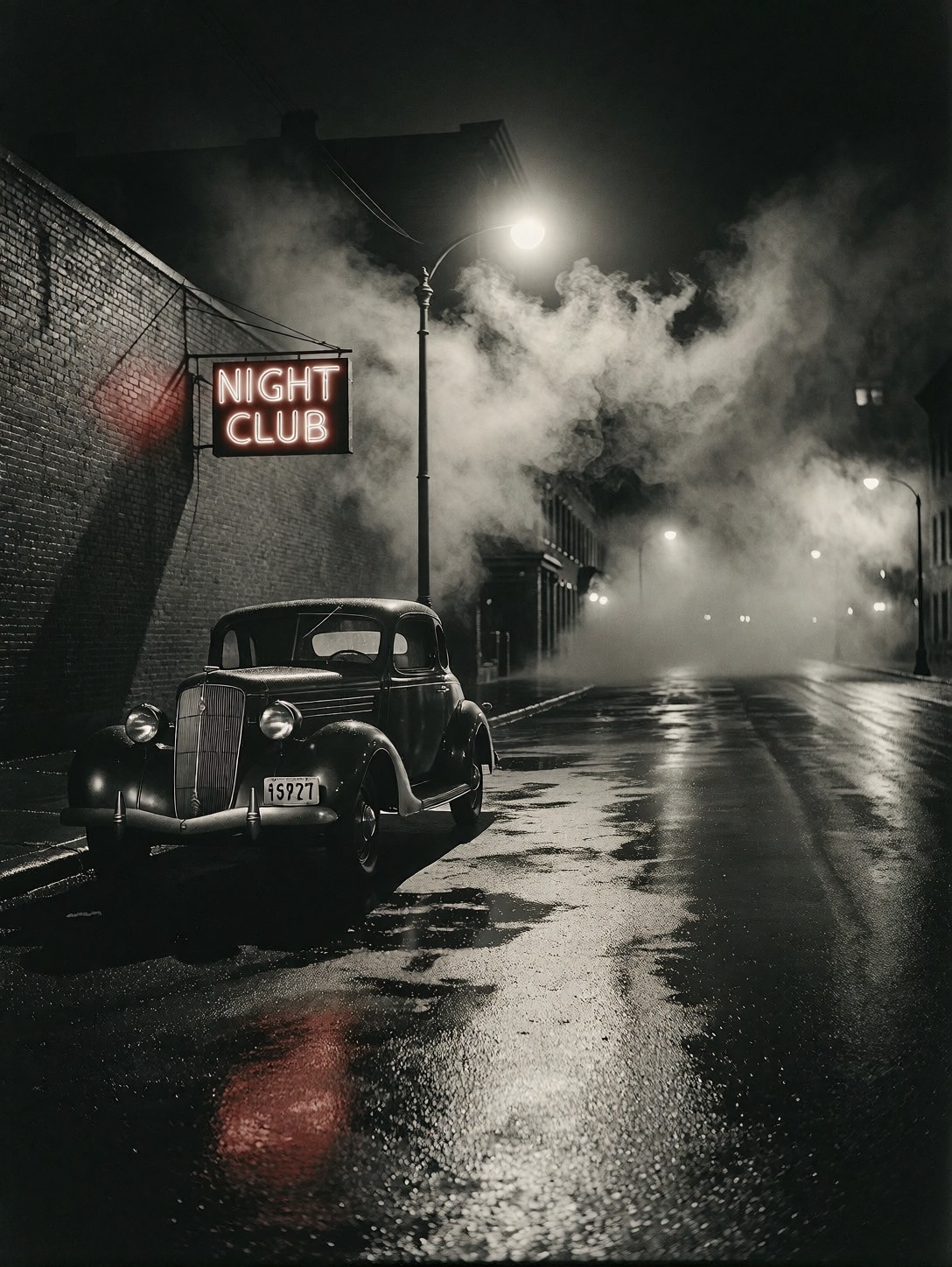
A single red neon sign flickers above a rain‑slicked curb, casting a bruised glow across the empty street. The scene is anchored by a classic vintage coupe, its chrome reflecting the wet asphalt while heavy fog rolls in from the distance, swallowing the far end of the road. Warm monochrome tones dominate, with deep blacks in the shadows and bright highlights on the pavement, creating a high‑contrast look reminiscent of 1940s film noir. The lone street lamp breaks through the fog, producing a sharp specular streak that dances across the slick surface. Together, the car, the neon, and the mist form a composition that feels both isolated and cinematic, inviting the viewer to imagine the story behind the empty street.
Who Will Find This Scene Useful
Book cover designers seeking a moody urban backdrop, film students crafting a noir short, and vintage‑focused advertisers all benefit from this composition. The high contrast and limited palette make it ideal for print and digital media where atmosphere must convey mystery or nostalgia. Because the street is empty of people, it can serve as a placeholder for a character or product placement in later edits. The 16:9 framing keeps the neon sign and car in balance; cropping to portrait will cut off the sign and lose the scene’s horizontal tension.
Optimal Settings for Proxima Aurelia 2
Proxima Aurelia 2 responds well to a moderate guidance scale that preserves its natural composition sense. Use a cfg_scale of 3.5, 20–30 steps, and a resolution of 1920×1080 for a cinematic 16:9 output. If you prefer a slightly tighter framing, 1664×928 works equally well. The model’s strength lies in visual storytelling, so keep the prompt concise and let it fill in details.
- CFG / Guidance: 3.5
- Steps: 20–30
- Resolution: 1920×1080 (16:9) or 1664×928
At cfg 3.5 and 25 steps, Aurelia 2 renders the fog and specular highlights without over‑exposing the neon glow — keep those values and let the model do its work.
Five Variations to Twist the Noir Atmosphere
Five Ways to Reimagine the Street
- Swap the time: Replace midnight with dawn — soft amber light replaces the neon glow, and the fog becomes morning mist.
- Change the weather: Add heavy snowfall — the coupe accumulates white, the neon reflects off fresh powder, and the street lamp casts a cold blue halo.
- Alter the sign: Change “NIGHT CLUB” to “MOTEL” or “BAR” — the text shift changes the narrative without altering composition.
- Remove the car: Delete the vintage coupe — the empty street becomes a pure study of light and shadow.
- Shift to colour: Replace monochrome with a saturated teal‑orange palette — the noir feel becomes a stylised, modern interpretation.
Two Prompts Ready to Generate
Apply two of the variations above directly — both are tuned for Proxima Aurelia 2 at the settings recommended above.
Variation: heavy snowfall — same noir street transformed into a winter scene, neon reflecting off fresh snow
A wet asphalt street in a 1940s city at midnight, heavy snow falling, a vintage coupe parked near a brick wall, red neon sign reading "NIGHT CLUB", high-contrast black-and-white, warm monochrome, sharp specular highlights, deep shadows, 35mm film grain, cinematic, 8k
Variation: altered sign — "MOTEL" replaces "NIGHT CLUB", shifting the narrative while keeping composition
An empty city street at night, fog rolling, a single street lamp illuminates a classic coupe, neon sign displaying "MOTEL", noir style, monochrome, high contrast, rain-slicked pavement, 8k
More Vintage Noir and Street Scenes
Other prompts in this category push the same moody street territory from different angles — softer light, different eras, and varied colour treatments: