Triangular Peaks and Toy-World Charm: The Low-Poly Village's Secret Sauce
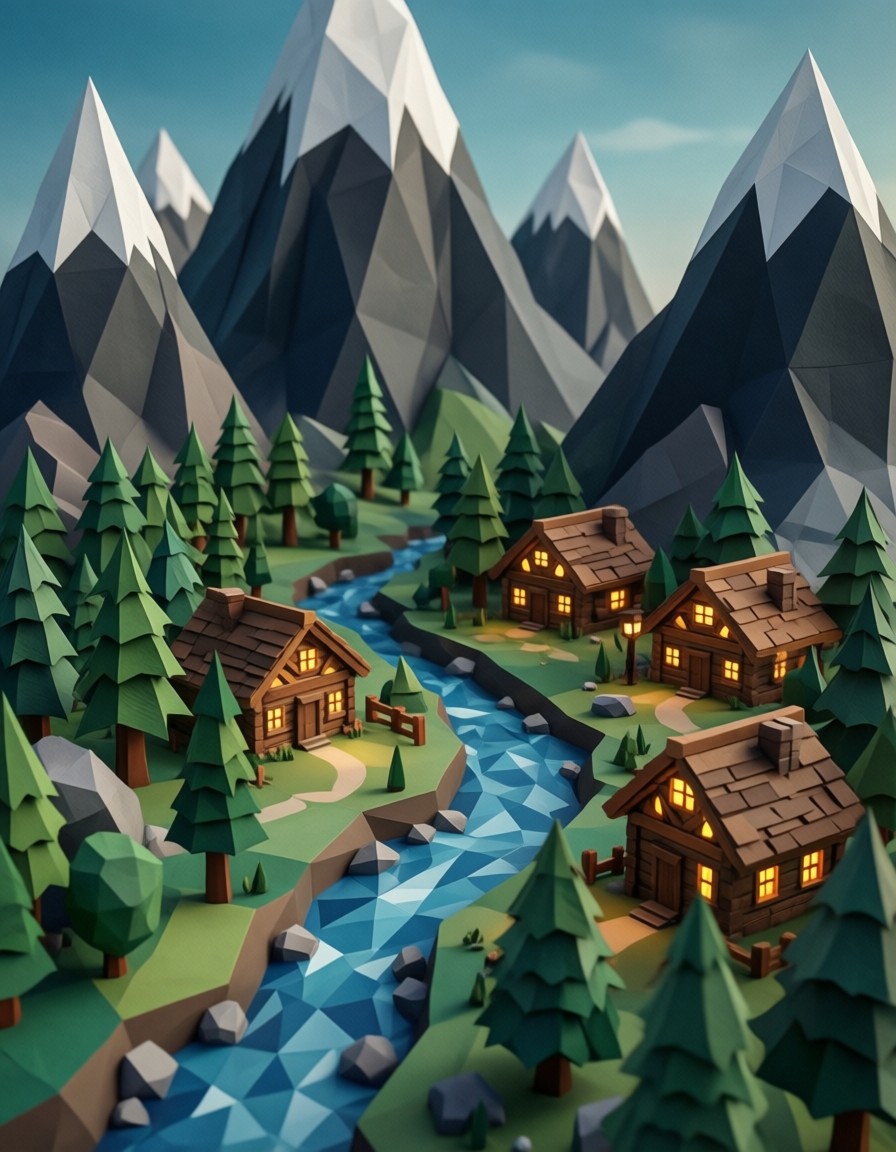
The valley isn't just any low-poly landscape — it's a digital diorama where paper-thin pine trees fold into the mountains like origami, and blocky houses glow with cartoonish yellow windows. What makes this work is the tension between the sharp, angular geometry and the soft ambient occlusion shadows that give depth to the flat polygons. The faceted blue river isn't just a water feature; it's a shimmering gemstone running through the scene, reflecting the emerald and navy palette in a way that feels both mechanical and magical.
The isometric perspective plays tricks on the eye, making the village feel like a 3D-printed model you could pick up and spin. It's the kind of image that makes you want to click through to see if the snow caps are actually textured or just cleverly colored polygons.
Game Assets, Book Covers, and Digital Art Exhibits
Low-poly landscapes are the bread and butter of indie game developers, but this particular composition has extra staying power. The whimsical toy-world aesthetic works for children's book illustrations, while the high-contrast, 8k resolution makes it a strong candidate for digital art exhibitions. For best results, use a 16:9 aspect ratio — the wide shot lets the triangular mountains breathe without crowding the village.
Keep in mind that Qwen Image 2512 benefits from prompt rewriting for stability. If the output feels flat, try rephrasing "clean isometric-like perspective" as "toy-box view with exaggerated depth cues."
Settings for Qwen Image 2512 — Balancing Geometry and Whimsy
Qwen Image 2512 excels at text rendering, but for low-poly scenes, focus on cfg_scale and resolution. Too low and the polygons blur into abstract shapes; too high and the flatness disappears.
- CFG / Guidance:
3.5–4.0— preserves sharp polygon edges while allowing ambient occlusion to work its magic - Steps: 25–30 for full 8k detail; 12 steps for quick previews
- Resolution:
8k(3840×2160) for maximum clarity;4k(3840×2160) is sufficient for most use cases
At cfg 3.8 and 25 steps, the model resolves the paper-like pine trees without making them look like scanned textures — keep the flatness intentional.
LoRA Layering for Custom Styles
- Toy-Box Aesthetic at
0.45— enhances the cartoonish feel without overpowering the low-poly base - Glitch Art at
0.30— adds subtle pixelation to the river for a retro-futuristic twist
For maximum impact, pair both LoRAs at 0.40 and 0.35 — the result will look like a 1980s arcade game rendered in hyper-detailed 8k.
Five Ways to Push the Low-Poly Village Further
5 Targeted Variations for This Prompt
- Change time of day: Replace "soft ambient occlusion" with "dramatic sunset lighting, golden hour glow" — the emerald mountains become fiery orange while maintaining their triangular shape
- Alter the river: Change "faceted blue river" to "crystalline river with rainbow reflections" — adds sparkle without breaking the low-poly rule
- Add a landmark: Add "a giant clock tower with triangular spires" — maintains the geometric theme while adding narrative depth
- Shift the perspective: Change "clean isometric-like" to "wide panoramic shot, 16:9" — ideal for game environment concepts
- Experiment with color: Replace "emerald, navy" with "pastel pink and lavender" — creates a dreamy, surreal version of the same scene
Two Prompts Ready to Generate
Apply two of the variations above directly — both are optimized for Qwen Image 2512 at the settings recommended above.
Variation: golden hour glow — replaces ambient occlusion with sunset lighting, transforms mountain colors to fiery orange
Low Poly style, a charming landscape of a tiny village nestled in a valley of sharp, triangular mountains. Every element is made of distinct flat polygons: paper-like pine trees, blocky wooden houses with glowing yellow windows, and a faceted blue river. The color palette is vibrant with shades of fiery orange, lavender, and white snow caps. Dramatic sunset lighting, clean isometric-like perspective, toy-world aesthetic, artistic simplicity, high contrast, 8k resolution, peaceful and whimsical digital art
Variation: pastel color palette — replaces emerald and navy with soft pink and lavender tones
Low Poly style, a charming landscape of a tiny village nestled in a valley of sharp, triangular mountains. Every element is made of distinct flat polygons: paper-like pine trees, blocky wooden houses with glowing yellow windows, and a faceted blue river. The color palette is vibrant with shades of pastel pink, lavender, and white snow caps. Soft ambient occlusion shadows, clean isometric-like perspective, toy-world aesthetic, artistic simplicity, high contrast, 8k resolution, peaceful and whimsical digital art
More Low-Poly Adventures in This Direction
Other prompts in this category explore similar geometric worlds from different angles — sunset drama, space battles, and lakeside tranquility: