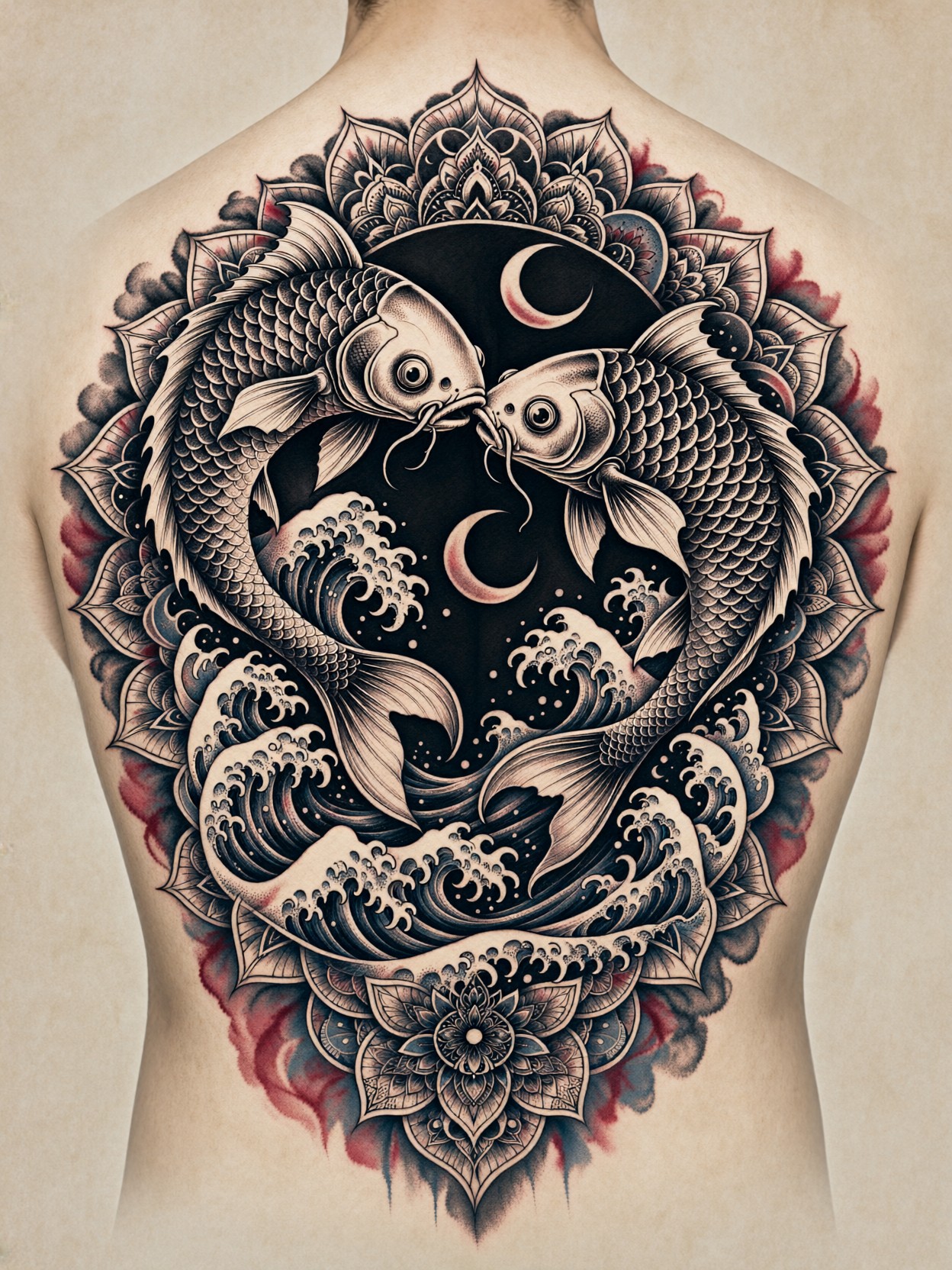
Scales Dissolving into Waves: A Tattoo Sheet That Thinks Like Ink
Skeletal koi are the hook here — bones rendered as tattoo linework, then dissolving mid-swim into crashing waves. That single transformation gives the design its motion, and Qwen 2.1 is unusually good at holding it together: the fine whip-shading (those tapered, feathered strokes tattooists use for soft gradients) and dotwork both resolve cleanly instead of collapsing into gray mush.
The circular twin-koi composition borrows from traditional nishikigoi iconography, but the mandala petals and crescent moons growing out of the scales push it toward dark illustrative territory. Muted crimson and slate-blue washes bleeding into the black keep it from going monochrome-flat, and the aged parchment backdrop frames it like a real studio flash sheet — crisp, symmetrical, print-ready.
Flash Sheets, Client Mockups, and Inked Skin Mockups
Tattoo artists can drop this straight into a consultation portfolio as a back-piece proposal; the symmetrical, flat presentation makes it read as a legitimate design document rather than a fantasy illustration. Client mockups, studio wall art, and printed flash collections are all natural fits.
Square or 4:5 framing works best — the circular composition wants equal margins on all sides. If you plan to overlay the design on a photographed back for a client preview, keep the parchment background; it gives you clean edges for masking. Portrait-orientation crops will clip the crescent moons at the composition's edge.
Dialing In Qwen 2.1 for Fine Linework and Washes
Qwen 2.1's native 2K output is the headline feature for this prompt: fine dotwork gradients need pixel density, and lower-resolution renders tend to alias the dots into visible banding.
- Guidance:
cfg_scale 3.5— enough to keep the twin-koi symmetry locked without crushing the soft washes - Steps: 30 for final quality; 12 only for composition previews
- Resolution:
1080×1440(3:4) for a flash-sheet look, or square1440×1440to match the circular design's natural frame
Qwen 2.1's typography strength means you can append a line like "studio stamp text 'BLACKWORK' in the lower corner" and get legible lettering — useful for authentic flash-sheet branding.
Five Ways to Reshape the Koi Back-Piece
Five Concrete Tweaks for This Skeletal Koi Design
- Swap the bones: Replace "skeletal koi" with "koi in full ornamental scales" for a classic irezumi feel — denser, warmer, less macabre
- Invert the palette: Change "muted crimson and slate-blue" to "white ink on deep indigo" — a reverse-color tattoo sheet that reads as night water
- Shift the geometry: Swap "circular composition" for "vertical totem composition, koi ascending" — the design becomes a spine-piece instead of a back-piece
- Change the moon language: Replace "crescent moons" with "phases of the moon arranged vertically" — adds a narrative arc and balances the mandala symmetry with progression
- Change the presentation: Swap "aged parchment texture" for "mockup on skin, upper back, warm studio lighting" — Qwen 2.1's portrait lighting turns the design into a realistic client preview
Two Prompts Ready to Generate
Both examples apply variations above, tuned for Qwen 2.1 at the settings recommended earlier.
Variation: reverse palette — the same twin-koi composition redrawn as white ink on indigo, trading warmth for nocturnal depth
Tattoo Art, dark illustrative style. Twin skeletal koi facing each other in a circular composition, scales transitioning into mandala petals and crescent moons, waves crashing beneath. White ink linework on deep indigo background, fine whip-shading and dotwork gradients, pale slate-blue accent glow. Flat studio flash sheet on aged parchment, symmetrical balance, crisp contrast, highly detailed, 8k.
Variation: realistic skin mockup — the design photographed on a back, using Qwen 2.1's lifelike lighting instead of the flat parchment presentation
Tattoo Art, dark illustrative style. Full back-piece tattoo of skeletal koi transforming into crashing waves, bold blackwork with whip-shading and dotwork, scales fading into mandala petals and crescent moons, muted crimson and slate-blue ink washes. Realistic mockup on skin, upper back, warm studio lighting, shallow depth of field, crisp ink detail, 8k.
More Dark Illustrative Prompts
If the inked, noir-leaning aesthetic here is your direction, this gothic portrait pushes a similar dark illustrative mood in full-figure form:
